
Callback URLs
Callback URLs are there to inform you about important events happening on our system.
An optional additional callback_url property is accepted for the following endpoints:
- Add business item (POST)
- Add sale (POST)
- Add sale with item information (POST)
- Add express credit note (POST)
- Add credit note with item bar codes (POST)
- Add credit note (POST)
Attempts
- Signed callbacks get up to 3 attempts, including when the receiver (your system) answers "401 Unauthorized" (HTTP client error response status code). Learn how DigiTax signs callbacks below.
- Unsigned callbacks get one attempt.
Scenarios
We send the following callbacks:
- When an item has been synced to eTIMS, we send a POST request to the provided
callback_url. The request body contains adataobject with details about the synced item, and aneventproperty with the valueitem.sync. - When a sale/ credit note has been synced to eTIMS, we also send a POST request to the
callback_url. The request body contains adataobject with details about the synced sale/ credit note, and aneventproperty with the valuesale.sync.
Structure and examples
-
When an item has been synced to eTIMS
{ "data": { "item_class_code": "70101500", "item_type_code": "1", "item_name": "Water bottle", "origin_nation_code": "UG", "package_unit_code": "BA", "quantity_unit_code": "BG", "tax_type_code": "B", "default_unit_price": 900, "id": "<ITEM_ID>", "etims_item_code": "<eTIMS_ID>", "is_stock_item": true, "running_balance": 0 }, "event": "item.sync" } -
When a sale/ credit note has been synced to eTIMS
{
  "data": {
    "date": "01/02/2024",
    "time": "07:45:34 pm",
    "trader_invoice_number": "ACC-SINV-2022-00015",
    "original_invoice_number": "720001",
    "digitax_id": "<SALE_ID>",
    "serial_number": "<SERIAL_NUMBER>",
    "receipt_number": "17",
    "internal_data": "<INTERNAL_DATA>",
    "receipt_signature": "FGUWWXNHSOSKVDCI",
    "etims_url": "https://etims-sbx.kra.go.ke/common/link/etims/receipt/indexEtimsReceiptData?Data=P000000001G02FGUWWXNHSOSKVDCI",
    "sale_detail_url": "http://localhost:8080/sales/cls3g6np300028cegs6o8qw98",
    "customer_pin": "A123456789Z",
    "customer_name": "Test Customer",
    "queue_status": "completed",
    "invoice_number": "720005",
    "sales_tax_summary": {
      "taxable_amount_a": 0,
      "taxable_amount_b": -4655.17,
      "taxable_amount_c": 0,
      "taxable_amount_d": 0,
      "taxable_amount_e": 0,
      "tax_rate_a": 0,
      "tax_rate_b": -16,
      "tax_rate_c": 0,
      "tax_rate_d": 0,
      "tax_rate_e": -8,
      "tax_amount_a": 0,
      "tax_amount_b": -744.83,
      "tax_amount_c": 0,
      "tax_amount_d": 0,
      "tax_amount_e": 0
    }
  },
  "event": "sale.sync"
}
Signed callbacks
Signatures follow the Standard Webhooks spec. A callback is signed only if the business has generated a webhook secret, under "Integrations -> Webhook secret" in the dashboard. Without one, callbacks go out unsigned.
In your business, on the DigiTax dashboard, go to Integrations and click on "Webhook secret" then "Generate".
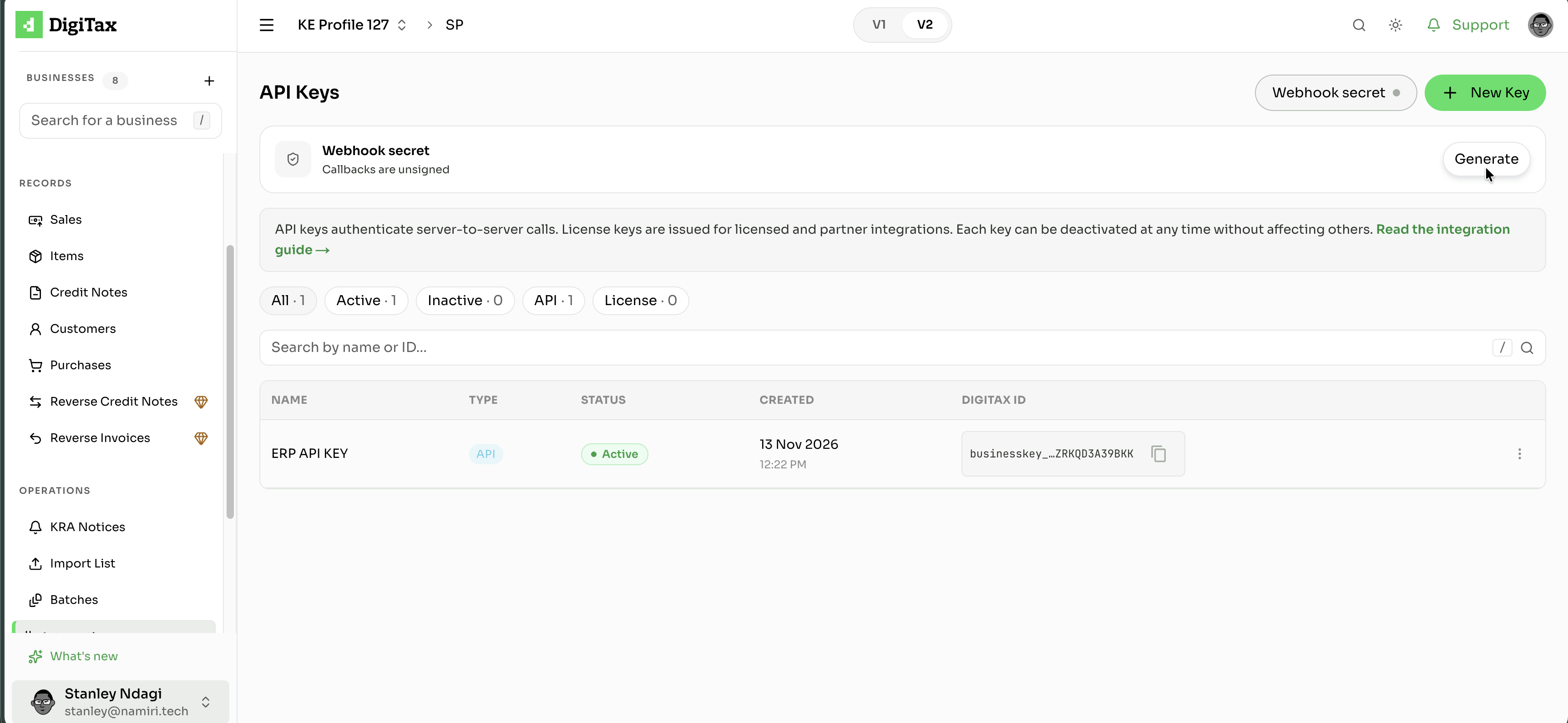
Generating a webhook secret
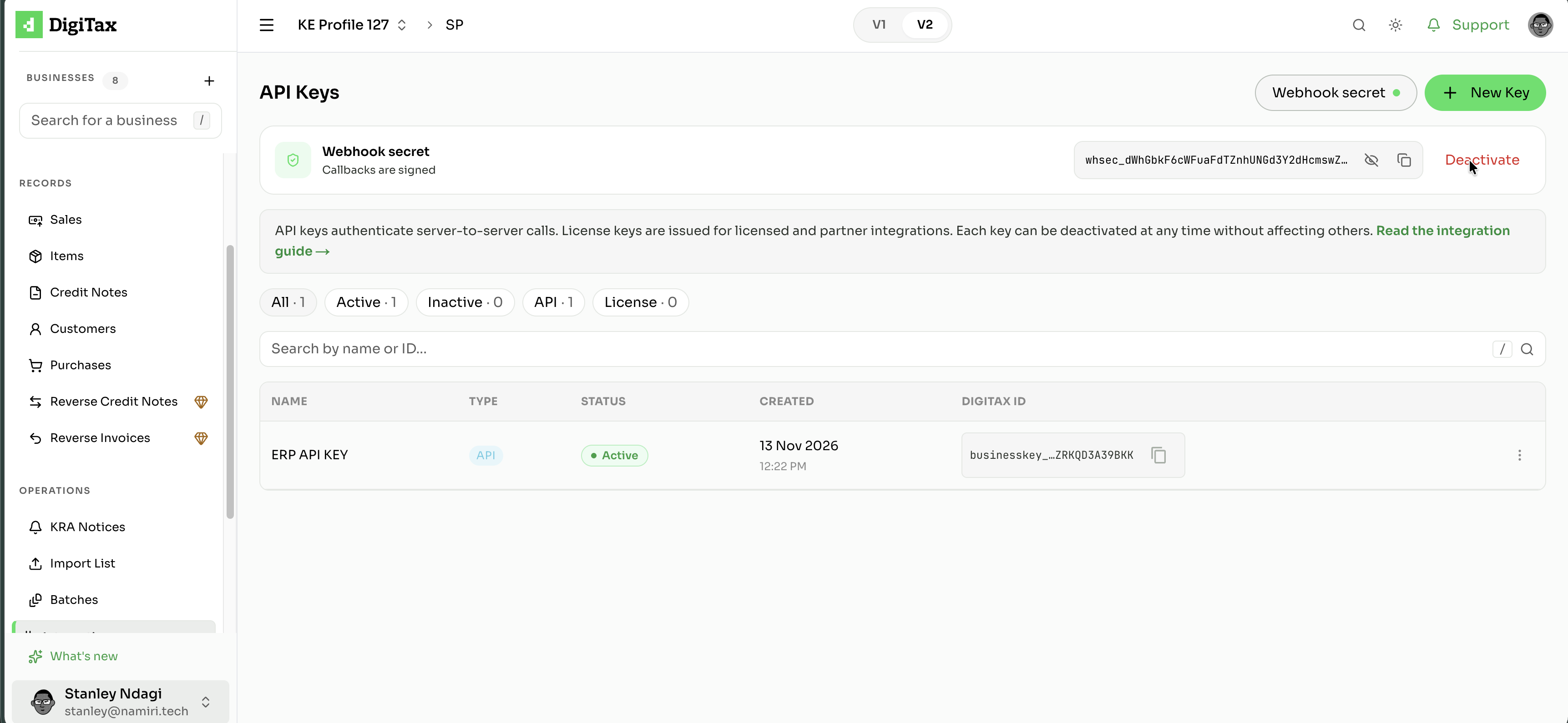
You can hide, copy, or "Deactivate" the key
How DigiTax signs callbacks
- Header: three headers are sent together:
webhook-id: a unique message IDwebhook-timestamp: Unix time in secondswebhook-signature: the signature, in the formv1,<base64>
- Method:
HMAC-SHA256, following the Standard Webhooks (Svix) format. - What is signed: the body plus the ID and timestamp, not the raw body alone. The exact string is
{webhook-id}.{webhook-timestamp}.{raw body}.
Key: the secret looks likewhsec_<base64>. Remove thewhsec_prefix and base64-decode the rest; those bytes are the HMAC key. Compare the result against the part of the header afterv1,.
Example (made-up secret, values checked):
secret:            whsec_ZX•••••••••••••••••••••••••••••••••••••••••=
webhook-id:        48213
webhook-timestamp: 1763200000
body:              {"data":{"digitax_id":"sale_123","queue_status":"completed"},"event":"sale.sync"}

signed string:     48213.1763200000.{"data":{"digitax_id":"sale_123","queue_status":"completed"},"event":"sale.sync"}
webhook-signature: v1,8LY3HzD+6WRaikpIFLe2kp/CdP+ZzrfPTlIPOdFWtcI=
The receiver must use the raw body bytes, not re-serialised JSON. Any Standard Webhooks or Svix library will verify it: new Webhook(secret).verify(rawBody, headers).
You should reject timestamps more than about 5 minutes old!
Remember, signing callbacks is opt-in.
Updated 7 days ago