
Which item class code should I use?
Which item class code should I use?
An item_class_code is required when creating an item. eTIMS uses a subset of the open, global, multi-sector standard for efficient, accurate classification of products and services - United Nations Standard Products and Services Code® (UNSPSC®).
UNSPSC Reference
- www.ungm.org/public/unspsc (UNGM resource)
- usa.databasesets.com/unspsc (USA resource)
You can download the entire list here (UNGM resource). To determine which item class code to use, follow the steps below.
All item types are classified with item class codes
There are three item types (Raw material, Finished Product and Service). All items under these types are classified with item class codes.
Default item class code values
The Item Classification Table contains hundreds of classification codes (yet it's not full exhaustive). To get as specific as possible to the classification code, refer to the steps in this specific item class code values list.
Otherwise, below are some common item class code values that you can use while testing or for convenience.
| Item class code | Item class name | Item Classification Level |
|---|---|---|
| 99000000 | VAT Act | 1 |
| 99010000 | Goods | 2 |
| 99011000 | Exempt Goods (Paragraph 1 - 99) | 3 |
| 99020000 | Services | 2 |
| 99022000 | Zero-Rated Service | 3 |
| 99030000 | Goods or Service | 2 |
| 50000000 | Food Beverage and Tobacco Products | 1 |
| 53100000 | Clothing | 2 |
| 14000000 | Paper Materials and Products | 1 |
| 42120000 | Veterinary equipment and supplies | 2 |
| 81160000 | Information Technology Service Delivery | 2 |
| 78000000 | Transportation and Storage and Mail Services | 1 |
| 95000000 | Land and Buildings and Structures and Thoroughfares | 1 |
| 85000000 | Healthcare Services | 1 |
| 86000000 | Education and Training Services | 1 |
| 99021002 | Insurance & reinsurance services | 4 |
| 15000000 | Fuels and Fuel Additives and Lubricants and Anti corrosive Materials | 1 |
Specific item class code values
Process
- Search for the item name at either the UN UNSPSC reference or the USA UNSPSC reference. If no result is returned, use synonyms or segments of the name (especially if it is a compound word like eyeglass)
- Copy the first four numbers of the item's code from the item you've determined as exactly matching your item, or closest to it by definition.
- Search for those copied first four numbers at the guide page - Items: Item Classification Table\
(If there is more than one entry, pick the closest by definition).
Example
Eyeglass frames are not available on the Items: Item Classification Table therefore:
- Via the UN UNSPSC reference
- (step #1 above) I searched for "eyeglass frames" and got nothing. I then search for "eyeglass" and got a few options.
- (step #2 above) I copy the first four numbers of the code, "4214"
- Via the USA resource
- (step #1 above) I searched for "eyeglass frames" and got "42142903".
- (step #2 above) I copy the first four numbers of the code, "4214"
(step #3 above) In the Items: Item Classification Table, there are two entries starting with "4214".
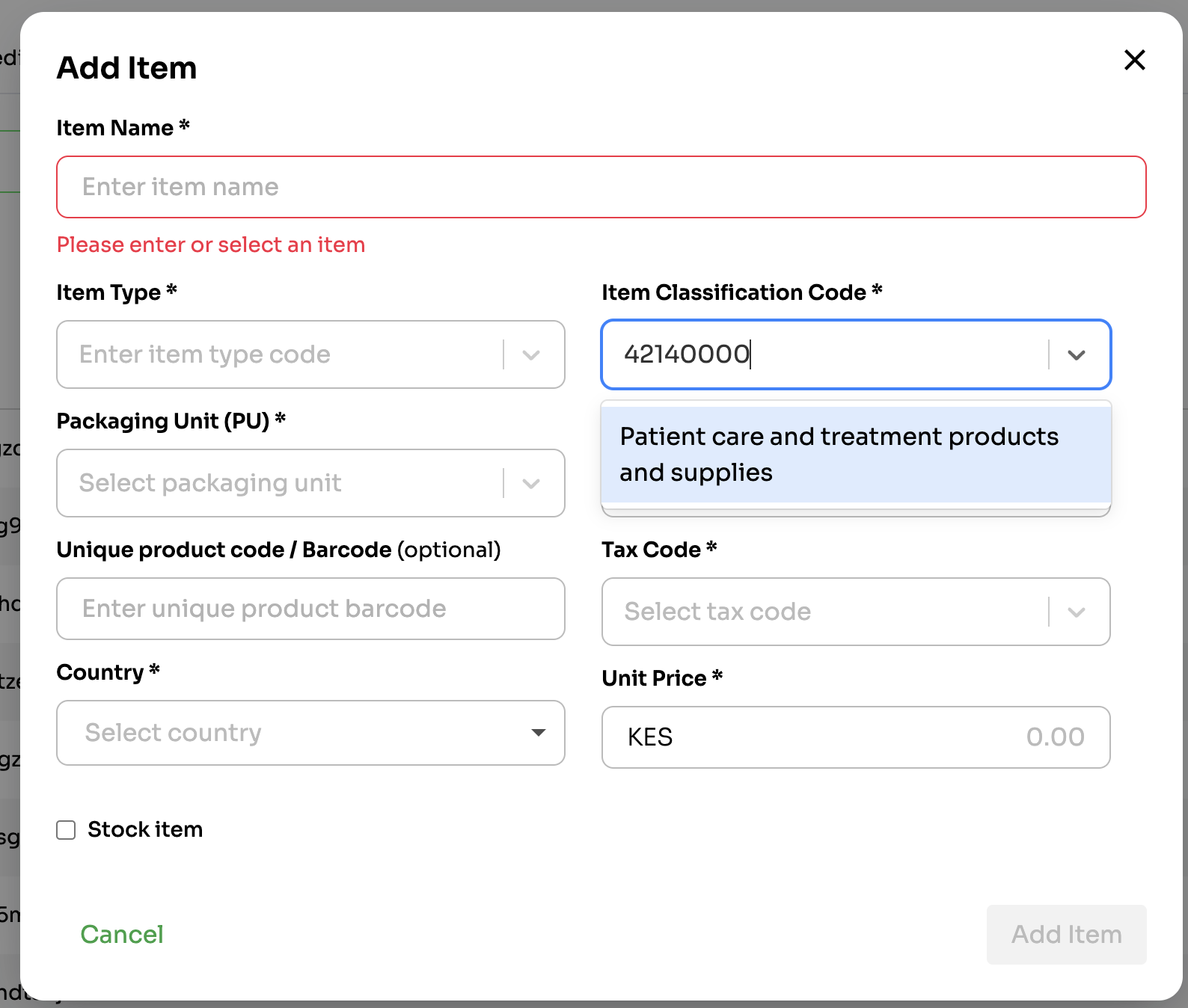
- "42140000" (Patient care and treatment products and supplies)
- "42141600" (Basins and bedpans and urinals and admission kits)
I'll use "42140000" which is more general, instead of "42141600".
Moreover, eyeglass frames are closer in definition to "Patient care and treatment products and supplies" than "Patient care and treatment products and supplies", right?
On the dashboard
On the API
{
  "item_class_code": 42140000,
  "item_type_code": 2,
  "item_name": "Rayban glasses",
  ..
}
Updated 15 days ago